Travel Data Calculator
Estimate how much mobile data you may need for your trip. Choose a usage profile or enter your own daily habits, then the calculator adds a 20% planning buffer to suggest a practical eSIM data allowance.
Your Daily Data Habits
Adjust the activities you expect to use on mobile data. Wi-Fi use does not need to be included.
Estimated Data Breakdown
This calculator provides an estimate, not a carrier or provider usage guarantee. Actual data use varies by app settings, video quality, background activity, network conditions and device behaviour.
How the estimate is calculated
The calculator uses representative mobile-data planning rates for each activity, multiplies them by your trip length, then adds a 20% planning buffer. Web and social use is estimated at 1.5, 3, or 8 MB per minute depending on the browsing style you choose. Video calls use a representative 10 MB per minute planning rate, while video streaming varies by selected quality. Actual usage can be higher or lower by app, settings, network conditions and device behaviour. Downloading offline maps, playlists and video over Wi-Fi before travelling can reduce mobile-data use.
Last updated: September 2026
How Much Mobile Data Do You Need for Travel?
There is no single amount of mobile data that works for every trip. A traveller using an eSIM mainly for maps, messages, ride-hailing and restaurant searches can get by with far less data than someone watching video, scrolling through Reels or TikTok, joining video calls or tethering a laptop.
I would not choose a 5GB, 10GB or 20GB plan based on trip length alone. Start with how you expect to use your phone each day, then factor in how long you will be away.
That is what the Travel Data Calculator above is designed to do. It estimates your daily usage, total trip requirement and a practical eSIM allowance based on your own travel habits, then adds a 20% planning buffer for the days that do not go exactly as planned.
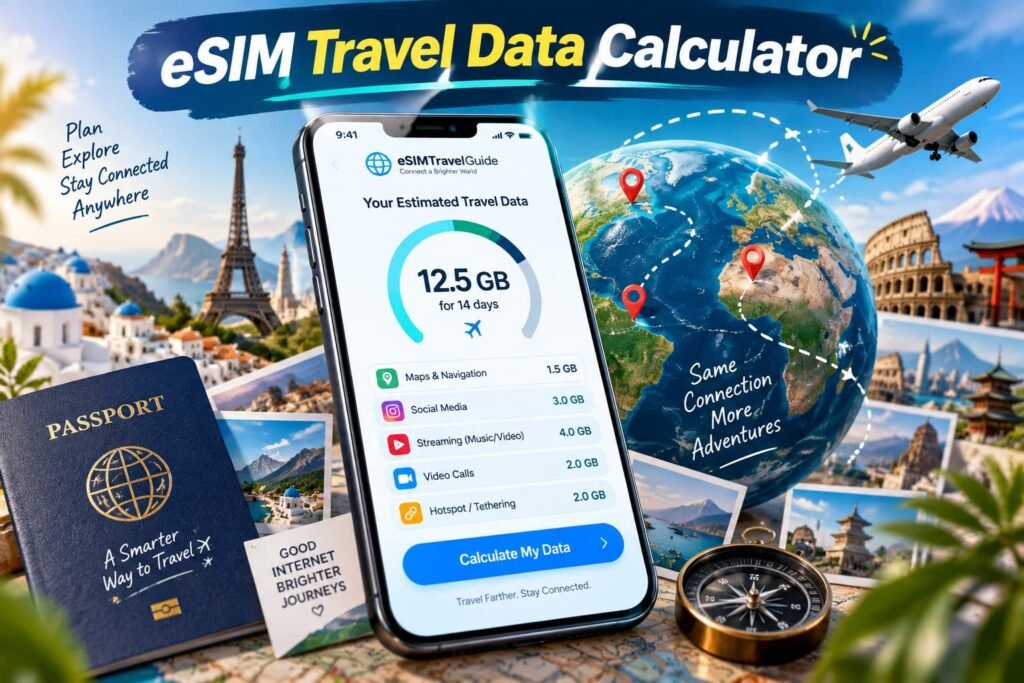
How to Use the Travel Data Calculator
I wanted the calculator to work for different types of trips without forcing everyone into the same “average traveller” profile.
You can start with Light use, Everyday use or Heavy use, or choose Custom and build the estimate around your own habits.
Enter Your Trip Length
Select a trip from 1 to 180 days. The calculator starts at seven days, but the total changes as soon as you adjust the length.
Trip duration matters, but I would not use it as the main way to choose a data plan. Seven days of frequent video streaming and laptop tethering can easily require more data than several weeks of maps, messaging and light browsing.
Choose a Starting Usage Profile
The three presets are there to save time:
- Light use
- Everyday use
- Heavy use
They load example daily activity levels rather than deciding how much data you need for you.
If you change an individual activity, the calculator switches to Custom. That is usually the best way to fine-tune the estimate once you know which activities will actually matter on your trip.
Adjust the Activities You Expect to Use
Think about how you will use mobile data away from Wi-Fi, not how much screen time you normally have at home.
Include things such as:
- maps and navigation;
- messaging and email;
- web browsing and social media;
- music streaming;
- video streaming;
- video calls;
- hotspot or laptop use;
- background syncing and updates.
This is where the estimate becomes useful. Someone downloading shows at the hotel before leaving for the day has a very different mobile-data requirement from someone streaming those same shows over an eSIM.
Choose Your Social Media and Browsing Style
I separated social use into:
- Mostly web, text and photos
- Mixed social use
- Video-heavy feeds / Reels / TikTok
That distinction matters.
Reading an article, checking a few photos and sending messages should not be calculated the same way as continuously loading short-form video. Autoplay, video quality, advertisements and feed preloading can all increase consumption as you scroll.
Include Hotspot and Background Data
These two are easy to underestimate.
If you plan to connect a laptop or tablet through your phone, include hotspot use in the calculation. Desktop browsing, work meetings, cloud files, software updates and large downloads all come out of the same travel eSIM allowance.
Background activity deserves its own setting as well. Photo backups, cloud syncing, app updates and other services can use cellular data without you actively opening the app.
Review the Result
The calculator shows:
- estimated trip usage;
- estimated daily usage;
- usage after the 20% planning buffer;
- suggested eSIM allowance;
- estimated data breakdown;
- a personalised travel tip.
Depending on the result, the suggested allowance can range from 1GB through 3GB, 5GB, 10GB, 20GB, 30GB, 50GB and 100GB to 100GB+ or an unlimited-style plan.
Treat that recommendation as a planning target rather than a guarantee that you cannot run out of data.
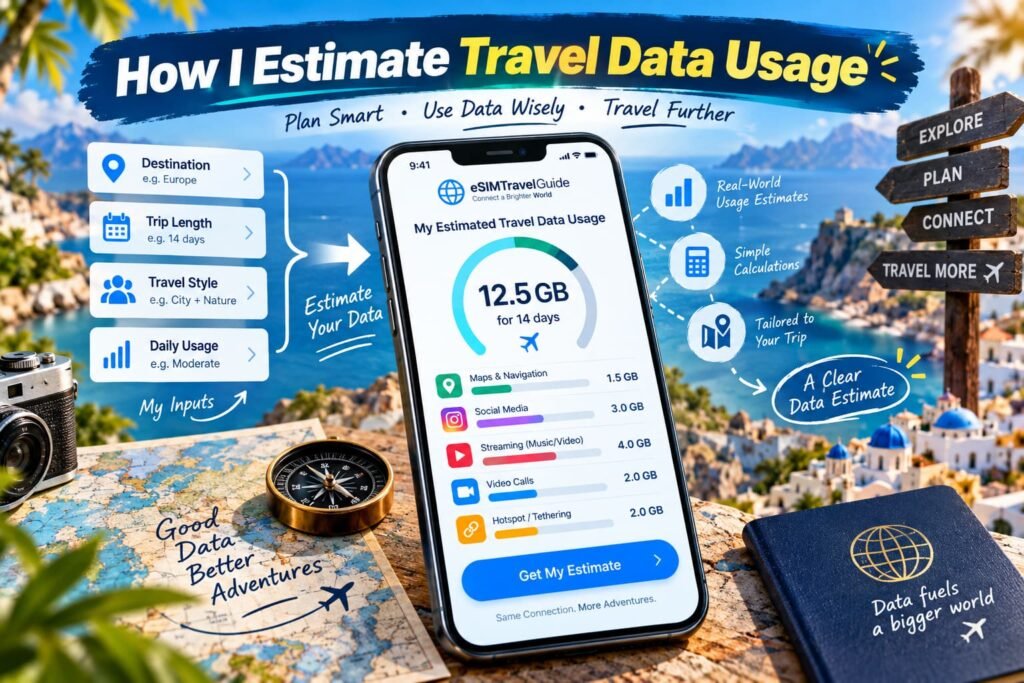
How I Estimate Travel Data Usage
I use representative planning rates in this calculator because there is no honest way to say that every app always consumes an exact number of megabytes per minute.
Video quality changes. Social feeds change. Apps preload content. Video-call services adjust quality according to the connection. Phones can also start syncing photos, refreshing apps or downloading updates in the background.
The calculator currently treats web and social usage differently depending on what you are doing:
- mostly web, text and photos: approximately 1.5MB per minute;
- mixed social use: approximately 3MB per minute;
- video-heavy feeds: approximately 8MB per minute.
Those are planning estimates, not measurements that apply equally to Instagram, TikTok, Facebook, X or every website.
The same principle applies to video calls. The calculator uses 10MB per minute, or roughly 600MB per hour, as a representative planning rate.
I would not tell you that WhatsApp, FaceTime, Zoom or Teams always uses exactly 10MB per minute. Zoom’s bandwidth guidance shows that requirements change with video quality and call type, while Microsoft explains that Teams bandwidth can vary with factors including resolution, video layout and frame rate.
The goal is to create a practical planning estimate you can use to choose an appropriate travel-data allowance without pretending the result is exact.
Where Your Travel Data Estimate Can Grow Fastest
The activities I pay the most attention to are video, video-heavy social feeds, video calls, hotspot use and large background transfers.
Streaming is an obvious one, but it can vary dramatically with quality. Netflix currently lists up to about 0.3GB per hour on Low, 0.7GB on Medium, 3GB for HD and 7GB for 4K. That is a huge range for the same basic activity.
Video calls can also become significant during a longer trip, particularly if you are working remotely. Add laptop tethering, cloud storage and automatic photo uploads and a plan that looked large when you bought it can disappear much faster than expected.
Maps, messages and ordinary web searches generally deserve less attention than those heavier activities, although they still add up across a long trip.
Social Media Can Change Your Estimate Quickly
I don’t treat one hour of social media as one fixed amount of data.
Reading text posts and looking at photos is one type of usage. Watching Instagram Reels, TikTok or another video-heavy feed for the same amount of time is very different.
Modern feeds also preload content before you watch it, and video may start automatically as you scroll. That is why the calculator asks what kind of social and browsing behaviour better matches your trip.
If you are trying to make a smaller eSIM allowance last, check whether your social apps have a data-saving setting, limit autoplay where possible and leave large photo or video uploads until you have Wi-Fi.
Video Streaming: Why Quality Matters
Streaming quality is one of the fastest ways to change the size of plan you need.
Netflix’s published data-use settings are a useful example. Its Low setting can use up to around 0.3GB per hour, while HD can reach about 3GB per hour. Ultra HD can go much higher.
That does not mean every streaming service uses exactly the same amounts. It shows why I would never calculate “one hour of video” without considering quality.
For travel, downloading shows, movies or other entertainment over Wi-Fi before leaving the hotel can make a bigger difference than trying to save a few megabytes on maps or messages throughout the day.
Maps, Navigation and Offline Downloads
Navigation is one of the main reasons I want mobile data when I travel, but I would not buy a large eSIM plan because of Google Maps alone.
There is no single official Google figure saying Maps always uses a fixed number of megabytes per hour. Data use can change depending on searches, map areas, traffic information and what needs to load.
One of the easiest ways to reduce that requirement is to download map areas before you leave reliable Wi-Fi. Google Maps supports offline areas for driving navigation, although features such as live traffic and alternate routes are unavailable while fully offline.
I normally consider offline maps especially useful for road trips, rural travel and destinations where mobile coverage may become inconsistent.
Planning Data for Video Calls
Video calls are another activity where I prefer to leave some room in the estimate.
Different apps adjust quality according to the connection, device and type of call. A short one-to-one conversation at reduced quality is not the same as an hour-long HD group meeting with screen sharing.
Zoom publishes different bandwidth recommendations according to video quality and call type. Microsoft Teams also adapts its media quality and says actual bandwidth varies with factors such as resolution, frame rate and meeting layout.
For that reason, the calculator’s 10MB-per-minute value is a planning rate. If you know that work calls will be a regular part of the trip, I would give yourself more headroom or plan to take the longer meetings over Wi-Fi.
Using Your eSIM as a Mobile Hotspot
Hotspot use is where a phone-sized data plan can suddenly start behaving like a home internet connection.
The eSIM does not know that the data is going to a laptop. A browser session, cloud sync, software download, Zoom meeting or operating-system update still comes out of the same allowance.
When I know I’ll be working from a laptop while travelling, there are three things I check before buying:
- how much hotspot use I realistically expect;
- whether large cloud or system updates can be paused;
- whether the specific eSIM plan permits the amount of tethering I need.
That last point matters because hotspot policies can vary even when a plan is advertised with a large or unlimited data allowance.
Background Apps Can Use Data You Never Planned For
Not every megabyte comes from something you deliberately opened.
Cloud photo backups, app refreshes, automatic downloads and syncing can continue in the background. That is one reason I included background activity as a separate calculator setting instead of burying it inside a generic daily allowance.
On an iPhone, Apple’s Low Data Mode can turn off Background App Refresh, reduce streaming quality, stop automatic downloads and backups, and pause certain iCloud updates.
Those controls are worth checking before travel, particularly if you are buying a smaller fixed-data plan.
Why I Leave Extra Room in the Data Estimate
I add a 20% buffer because travel rarely follows the exact same pattern every day.
You might lose hotel Wi-Fi, spend longer navigating after a route change, upload more photos than expected, make an unplanned video call or have an app start syncing in the background.
I would rather size the recommendation with some breathing room than suggest a plan that works only if every day matches your estimate perfectly.
The 20% is still a planning buffer, not a guarantee. If your buffered estimate sits almost at the limit of a plan, moving to the next practical allowance can make more sense than spending the trip watching your remaining balance.
Turning Your Data Estimate Into the Right Plan Size
My approach is to work backwards from the calculator result rather than choosing one of these numbers first.
Smaller Fixed-Data Plans
Allowances around 1GB to 5GB are worth looking at when the calculator shows relatively light usage.
They make more sense for travellers using data mainly for maps, transport apps, messaging, bookings, email and occasional browsing, especially when larger downloads and entertainment stay on Wi-Fi.
Mid-Range Plans
A 10GB or 20GB allowance gives considerably more room for regular browsing, social use, music, photo sharing and some video.
The important number is still your expected daily average. Ten gigabytes across ten days gives you a very different daily budget from the same 10GB stretched across a month.
Larger Data Plans
Plans around 30GB, 50GB or 100GB become more relevant when mobile data will be your main connection, the trip is long or you expect frequent streaming, work calls, uploads or hotspot use.
At this level, I would look closely at the calculator’s breakdown to see what is driving the number rather than automatically assuming you need an enormous allowance.
Unlimited-Style eSIMs
Unlimited data can make sense when usage is high or difficult to predict, but I would still read the plan conditions.
“Unlimited” may include:
- a daily high-speed allowance;
- a fair-use threshold;
- reduced speeds after a certain amount;
- hotspot restrictions;
- separate tethering limits.
The word unlimited does not necessarily mean unlimited full-speed data for every activity.
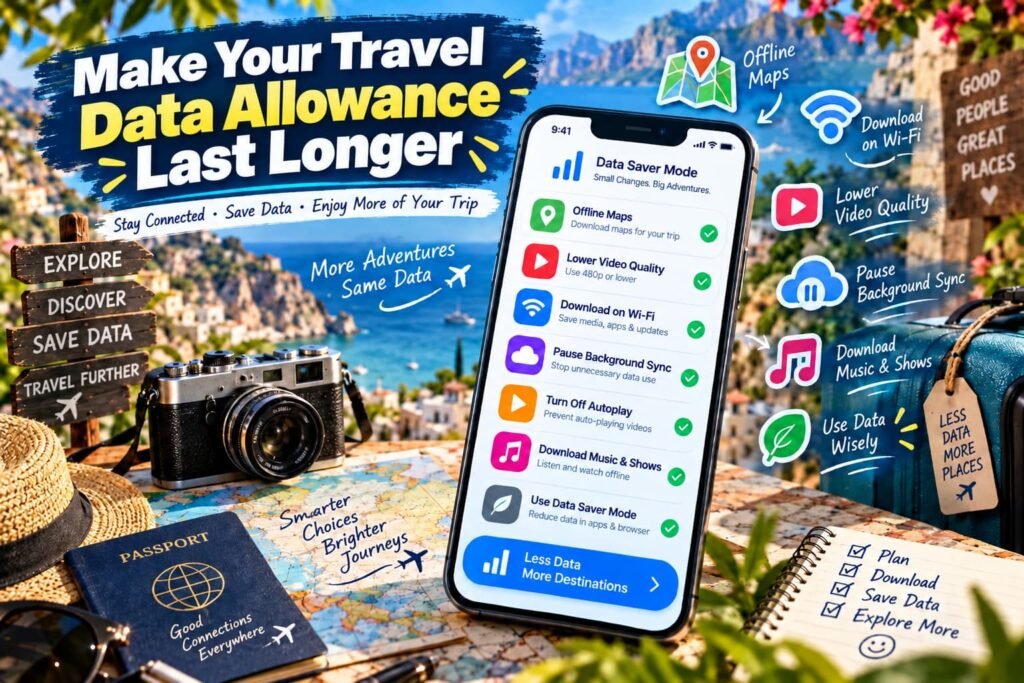
Make Your Travel Data Allowance Last Longer
The most effective savings usually come from moving the heaviest activities away from mobile data.
Before leaving Wi-Fi, I recommend downloading:
- offline map areas;
- playlists and podcasts;
- shows or movies;
- tickets and booking information;
- any large work files you know you will need.
Lowering video quality can also make a noticeable difference. The gap between reduced-quality and HD streaming can be much larger than the data used by ordinary maps or messages.
I would also review background settings before departure. Pause unnecessary photo backups, stop large automatic downloads and restrict apps that do not need to refresh continuously over cellular data.
Then check your phone’s actual cellular-data counter after the first full travel day. Your own real usage is more useful than any generic traveller average, and it gives you time to adjust before the rest of the trip.
Use Your Data Estimate to Choose the Next Step
Once the calculator gives you a realistic allowance, the next decisions become much easier.
Compare Travel eSIM Plans
Use the Travel eSIM Comparison Tool to narrow down providers and plan types for your destination, trip length and priorities.
At this point you already know approximately how much data you are shopping for, so you can compare plan validity, network access, hotspot rules and high-speed limits instead of guessing between 5GB, 10GB and unlimited.
Compare an eSIM With Carrier Roaming
If you are deciding between a travel eSIM and keeping your normal carrier’s roaming option, use the Roaming Cost Calculator.
That tool handles the cost decision. This page should only answer how much mobile data you are likely to need.
Check Whether Your Phone Supports eSIM
Before buying a plan, use the eSIM Compatibility Checker to confirm that your phone supports eSIM.
I keep these steps separate because data requirement, price and device compatibility are three different decisions.
Frequently Asked Questions About Travel Data
How accurate is a travel data calculator?
A travel data calculator is best used as a planning tool rather than a prediction of exactly how many megabytes your phone will consume. Streaming quality, autoplay, app behaviour, network conditions and background activity can all change during a trip, so two days that look similar on an itinerary may produce different data totals.
I designed this calculator around the activities you expect to use and the amount of time you expect to spend on them. That gives you a much more useful starting point than a generic rule such as buying the same number of gigabytes for every one-week trip.
I still leave room for variation. The purpose of the result is to help you narrow the plan sizes worth comparing, not to suggest that your phone will finish the trip at an exact predicted number.
Does the country I visit change how much mobile data I need?
The destination itself does not normally determine how much data an activity consumes. Watching a video, loading a website or sending a message still transfers data because of what the app is doing rather than simply because you crossed into another country.
Where the destination can matter is how you end up using your phone. A road trip may involve much more navigation than a resort stay. A destination with unreliable hotel Wi-Fi may push more streaming, uploads or work onto mobile data. Longer transfers and unfamiliar public-transport systems can also increase the amount of time you spend online while away from Wi-Fi.
I therefore use the calculator around the trip itself rather than assigning a fixed data allowance to a country. Destination coverage belongs in the plan-selection step; expected usage belongs in the data calculation.
Should I calculate data differently for a multi-country trip?
For a multi-country trip, I would calculate the entire itinerary if the same eSIM allowance will cover every stop. Include all the days you expect to use that plan rather than estimating each country as though it were a separate holiday.
What often changes between countries is the type of travel day. A city stay may involve light navigation and plenty of accommodation Wi-Fi, while the next part of the itinerary could include trains, road travel, remote areas or long days away from a reliable connection. Those differences are more important to the data estimate than the number of borders you cross.
After calculating the total requirement, check that the eSIM you are considering actually covers every destination on the itinerary. A sufficient data allowance does not help if the plan itself does not include one of your stops.
How should I estimate data when some travel days are much heavier than others?
Not every day needs to look like an average day. A sightseeing day with maps and messaging may use relatively little, while a long train journey with streaming, photo uploads and hotspot use can consume several times more.
For a mixed itinerary, I prefer to build the estimate around the usage pattern that represents the trip reasonably well and then account for the heavier days rather than pretending every day will be identical. If you know several days will include remote work, long transfers or substantial streaming, factor those activities into the daily settings instead of treating them as rare exceptions.
The goal is not mathematical perfection. It is to avoid choosing a plan based only on the lightest days and then discovering that two or three data-heavy days have used most of the allowance.
Does using dual SIM or an eSIM alongside my normal SIM use more data?
Having two SIMs active does not automatically mean that every app uses twice as much mobile data. Your phone still routes mobile internet traffic through whichever line is configured to provide cellular data, subject to the device’s settings.
The important part before travelling is knowing which line is responsible for mobile data. If your home SIM remains enabled, check the phone’s cellular settings so you do not accidentally use roaming data from the wrong line when you intended the travel eSIM to handle internet access.
I treat that as a setup issue rather than something that should increase the calculator result. The data estimate should reflect what you expect to do online; your SIM settings determine which mobile plan carries that traffic.
Should each traveller calculate their data separately on a family or group trip?
Usually, yes. One person’s usage can be completely different from another’s even when everyone is following the same itinerary. Someone using a phone mainly for messaging and maps may need far less data than another person watching video, uploading content or working from a laptop.
I would calculate each traveller separately when everyone will have an individual eSIM. That makes it easier to avoid buying the same large allowance for the entire group when only one person actually needs it.
If several people will share one phone’s hotspot instead, include that shared usage in the estimate for the device providing the connection. Once multiple phones, tablets or laptops start using one eSIM, that allowance can disappear much faster than ordinary single-phone use.
When should I recalculate my travel data needs?
Recalculate when the way you expect to use your phone changes enough to affect the result. Extending the trip, adding remote-work days, deciding to use a laptop hotspot or changing from downloaded entertainment to regular streaming are all good reasons to run the numbers again.
For a longer trip, I also like checking actual mobile usage after the first few days. That gives you a real-world reference for whether the original estimate was conservative, roughly on target or too low.
The calculator is most useful before buying a plan, but it can also help when plans change. Updating the inputs is easier than assuming the original allowance still makes sense after the itinerary or your daily habits have changed.
Do Airport Days, Layovers and Travel Days Affect Your Data Estimate?
I include them whenever I expect to use mobile data. Airport and transfer days can involve boarding passes, airline apps, ride-hailing, maps, train schedules, messaging, translation, rebooking and searching for information when plans change.
They can also become unexpectedly heavy data days. A long delay might mean more social media, streaming or video calls than you planned, while unreliable airport or station Wi-Fi can push those activities onto the eSIM.
For that reason, I would not automatically remove arrival or departure days just because they are not full sightseeing days. If the phone needs to stay connected during those hours, they belong in the trip calculation.
Final Thoughts
After years working around mobile networks and using phones while travelling, one thing I have learned is that the number on the eSIM plan is only useful when you know what is going to consume it. I would never tell someone that every seven-day trip needs 5GB or every two-week trip needs 10GB. Two people can visit the same country for the same number of days and have completely different data requirements.
When I am planning my own connectivity, I start with the things I know I will actually do. I want navigation when I leave the airport, access to bookings and transportation apps, messaging throughout the day and enough data that I do not have to think twice before searching for something I need. Then I look at the heavier activities. Am I going to stream video? Spend a lot of time on Reels or TikTok? Make video calls? Connect a laptop? Those are the things that can change the size of the plan quickly.
I also prefer having some breathing room. Travel does not always follow the itinerary. I have dealt with enough mobile networks to know that the way we expect to use a connection and the way we actually end up using it are not always the same. Poor Wi-Fi, route changes, extra navigation, an unexpected call or background syncing can all push usage higher. That is why I built the 20% planning buffer into the calculator instead of trying to recommend the absolute minimum amount of data that might get you through the trip.
Run the calculator with the way you expect to travel, look at what is driving the estimate and then shop around that number. If the result is close to the top of one allowance, I would compare the next plan size too. The goal is not to buy more data than you need. It is to have enough that once the trip starts, your phone works when you need it and mobile data becomes one less thing you have to think about.